Measure in seconds,plan the whole home.
Tap a room’s corners in AR, scan it with LiDAR, or draw it by hand. PlanSnap turns it into a floor plan with every dimension, square footage and wall area, estimates paint, flooring and tile, and exports PDF, DXF, SVG or CSV.
Free to download. No account. No ads.
How many square feetis it, really?
For homeowners, renters, DIYers and contractors who need a plan and a number they can work with — without a tape, a notebook and an evening at a desk.
Features
A tape, a notebookand a CAD desk, in one app.
-
Three ways to add a room
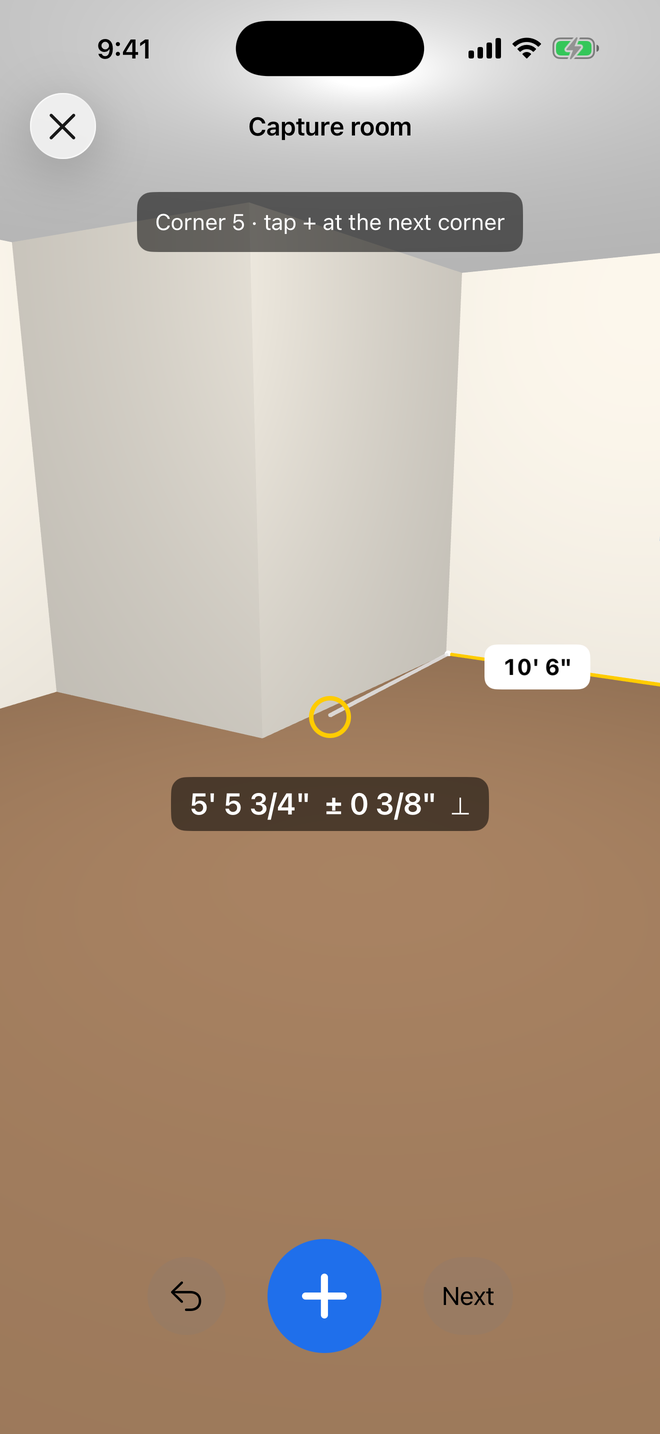
Scan with LiDAR on iPhone and iPad models that have it, tap the corners in AR on any ARKit device, or draw it by hand with lengths from your tape.
-
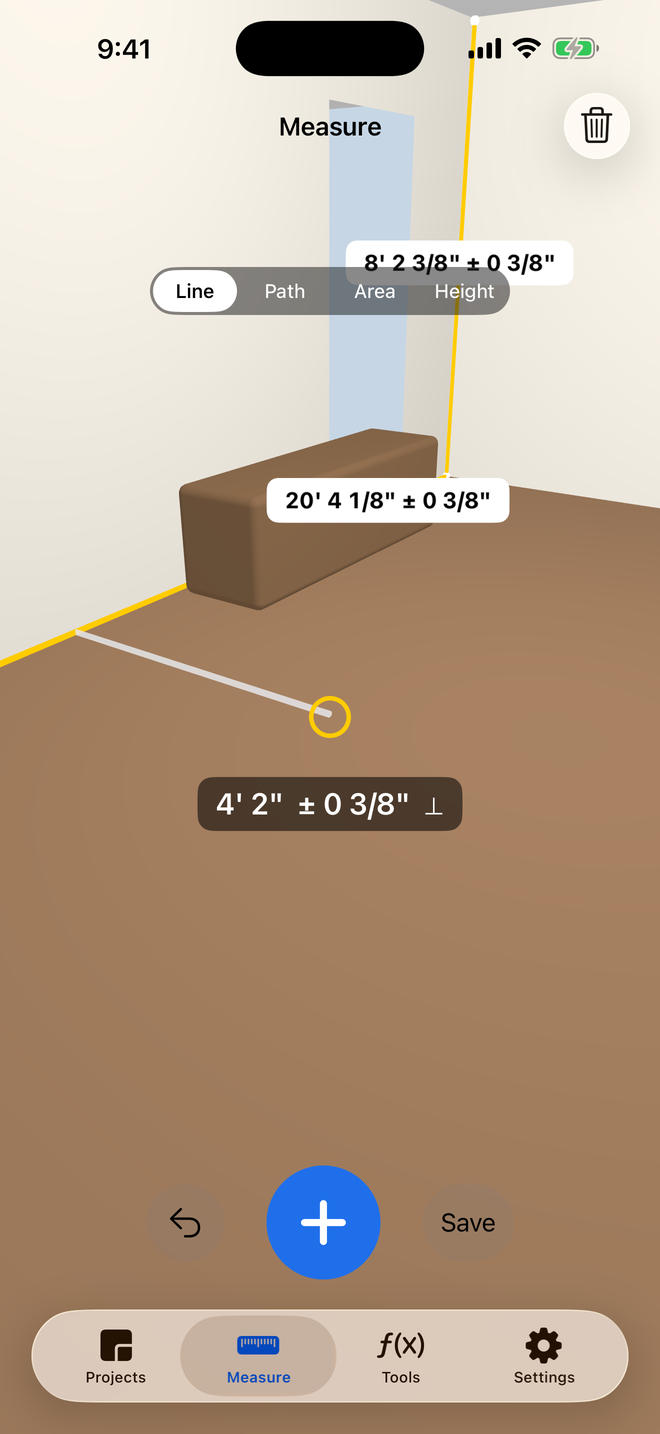
AR ruler with a ± range
Measure a line, a path, an area or a height. Every result shows how far it might be off, so you know when to reach for a tape.
-
Real floor plans
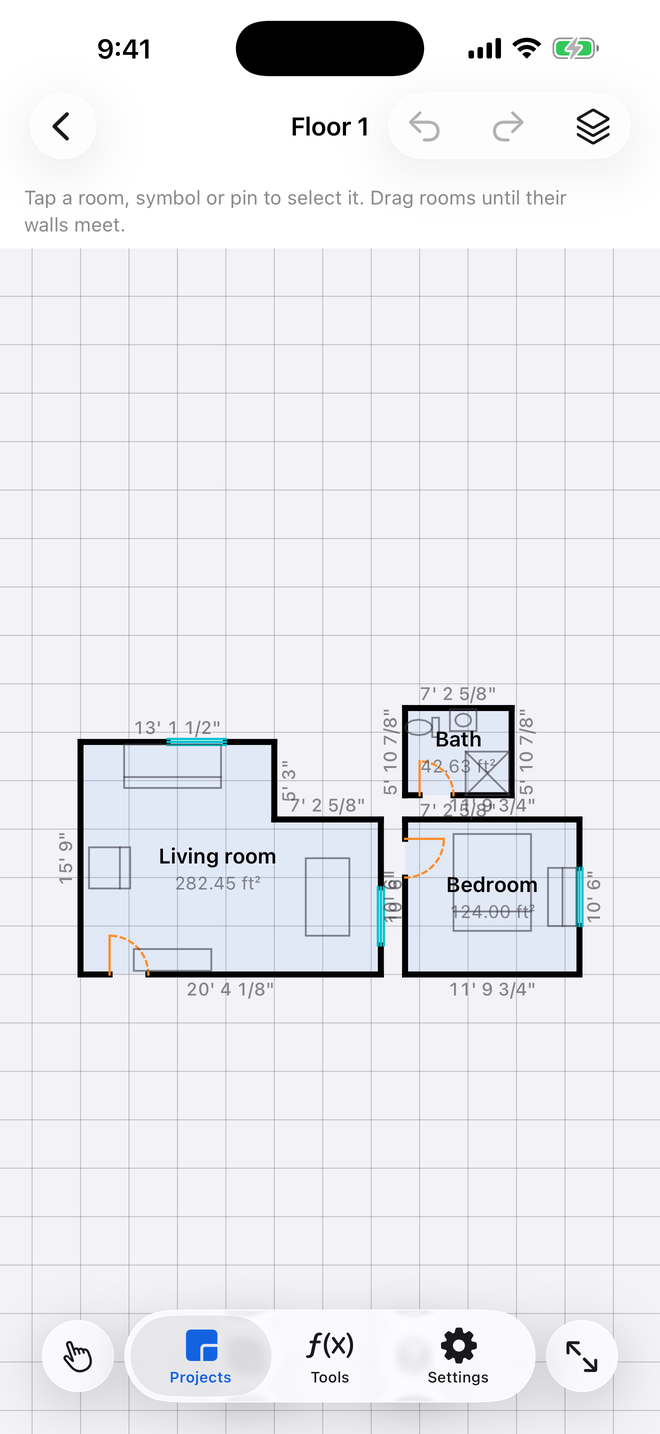
Doors, windows and openings, area, perimeter and wall area for every room, multiple floors, furniture and fixture symbols, and a north arrow from the compass.
-
Material estimates
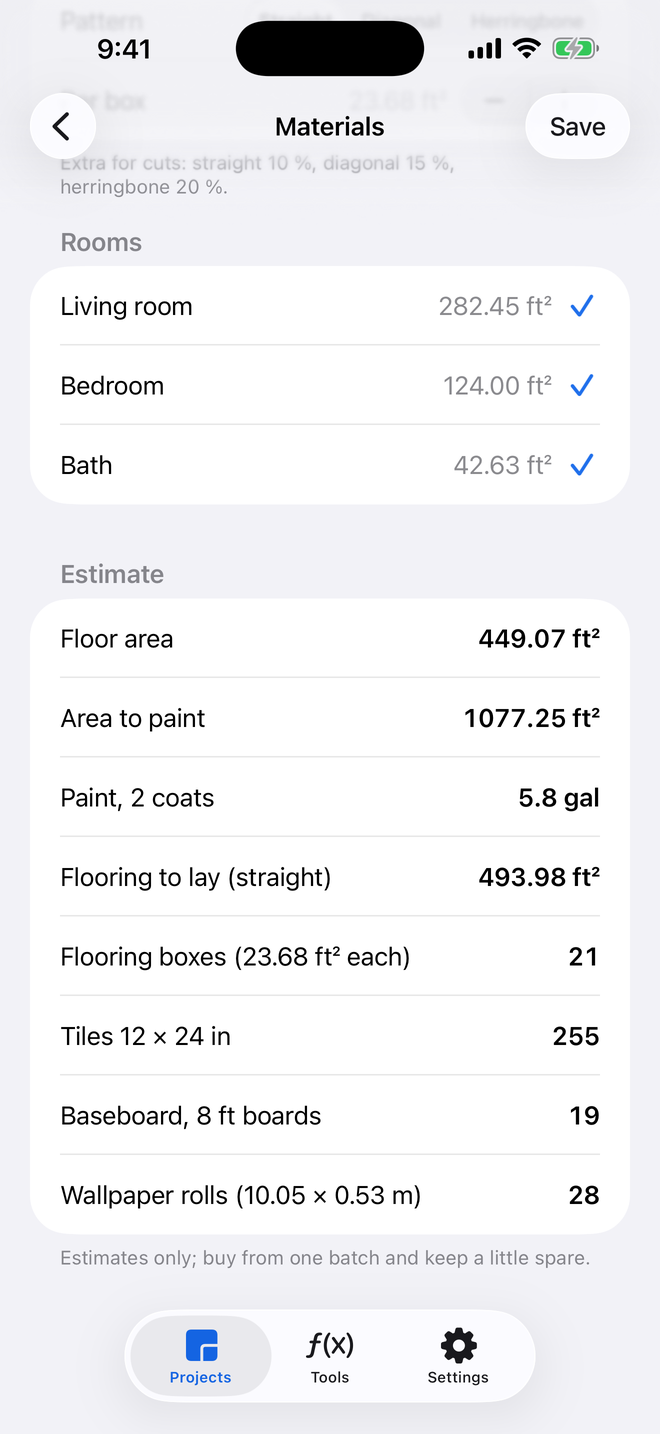
How much paint for two coats, how many boxes of flooring and tiles, and how much baseboard and wallpaper, worked out from the rooms you measured. Outside, boards for a deck, posts for a fence, and bags of concrete or gravel.
-
PDF, DXF, SVG and CSV
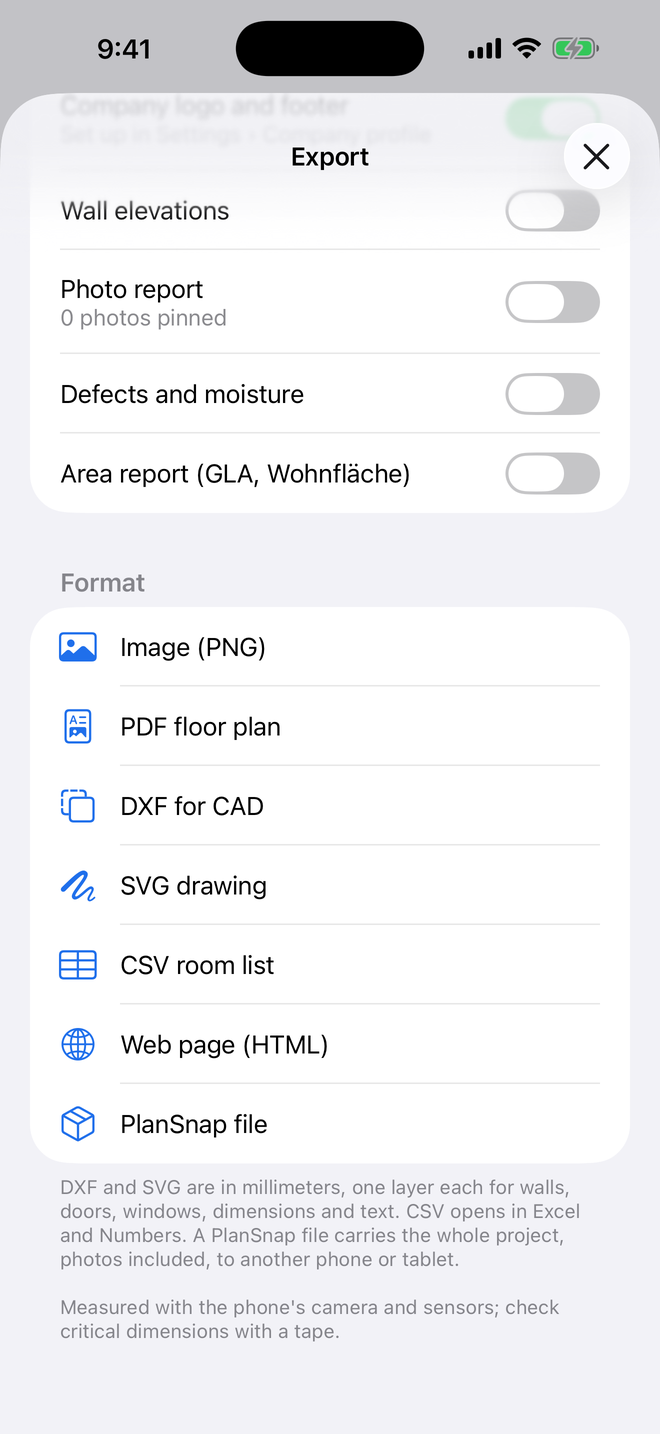
A PDF with every dimension for contractors, DXF for CAD, SVG, a CSV room list, or a PNG to share in a message.
-
Widgets and Shortcuts
Recent projects and tools on the Home and Lock Screen, Measure and Level in Control Center, and Siri Shortcuts for room and project area.
-
Version history
A copy once a day and before every delete, kept on your phone. Undo a mistake tomorrow, or open an old version as a new project. If Pro ends, your projects still open and export.
-
Read a laser meter, or say it
Point the camera at a laser meter’s display, or say “three metres twenty”, and the length goes in after you confirm. Both run on the iPhone.
-
On-device AI
On iPhones with Apple Intelligence, room types after a scan and a factual listing description, written on the phone. Ask AI hands a prompt you review to ChatGPT, Claude, Gemini and others.
Measurements are approximate
AR and LiDAR measurements are typically within 1–3% or a few centimeters per wall, depending on the phone, the light and the surfaces. PlanSnap is not a survey and isn’t suitable for legal, valuation or construction documents. Check critical dimensions with a tape.
How it works
Capture. Plan.Export.
-
Capture
Scan with LiDAR, tap the corners in AR, or draw the room and type in your tape measurements.
-
Plan
Add doors, windows and more rooms. PlanSnap works out area, perimeter and wall area as you go.
-
Export
Get paint, flooring and tile estimates, then share a PDF, DXF, SVG, CSV or image of the plan.
Screenshots
A closer lookat PlanSnap.
Pricing
Measure for free.Pro draws the whole home.
The AR ruler, the calculators and your first room are free. Pro is for whole homes, more projects and files for your contractor or CAD.
Free
$0
- Unlimited AR ruler: line, path, area and height
- One project with one room, scanned, captured or drawn
- Area, perimeter and wall area
- Level, angle finder and trade calculators
- Paint, flooring, tile, baseboard and wallpaper estimates
- PNG export with a small watermark
No account and no ads.
PlanSnap Pro
Every room, every floor, every format.
Everything in Free, plus:
- Unlimited projects and rooms
- Multiple floors, the symbol library, wall elevations and a 3D view
- PDF, DXF, SVG, CSV and HTML export
- Saved material lists and no watermark
- Trade tools: tile and roll layouts, quotes, inspection checklists
-
Yearly 7-day free trial
Best value, billed once a year
$24.99per year
-
Monthly
Billed every month
$3.99per month
-
Lifetime
One payment, nothing renews
$39.99once
If Pro ends, nothing is deleted. Your projects stay on your phone.
Prices in USD; your store shows the price for your country or region. Payment is charged to your Apple ID or Google Play account. Subscriptions renew automatically unless cancelled at least 24 hours before the end of the current period, and you can manage or cancel them anytime in your store account settings. If you start the free trial, the yearly plan begins when the trial ends unless you cancel before then. Lifetime is a one-time purchase that doesn’t renew.
Privacy
Your home’s layoutstays with you.
-
Stays on your phone
Projects, plans, photos and scans are saved as files on your device. There is no PlanSnap server.
-
No account
No sign-up and no password. Open the app and measure the first room.
-
No ads, no cross-app tracking
No advertising and no tracking across other apps or websites.
-
Location stays put
PlanSnap reads the compass to draw a north arrow. Your location isn’t stored or shared.
Anonymous analytics you can turn off
Measuring, scanning and planning all happen on your phone. PlanSnap sends anonymous usage counts and crash reports by default, never your plans, photos or measurements. Switch off Share anonymous usage in Settings.
FAQ
Questions,answered.
Something else? Visit the help center, read the guides or email fighttech.vn@gmail.com.
Does my iPhone need LiDAR?
No. On iPhone and iPad models with LiDAR you can scan a whole room with Apple’s RoomPlan. On any iPhone with AR you can tap a room’s corners instead, and on any device you can draw a room by hand and type in the lengths from a tape measure.
How accurate are the measurements?
They’re estimates, typically within 1–3% or a few centimeters per wall, depending on the phone, the light and the surfaces. Every AR result shows its ± range. PlanSnap isn’t suitable for legal, valuation or construction documents, so check critical dimensions with a tape.
Which file formats can I export?
Free: a PNG image of the plan (with a small watermark) and the PlanSnap project file. Pro: PDF floor plans with every dimension, DXF for CAD, SVG, a CSV room list, an HTML web page and more, with no watermark.
Can I use feet and inches, or meters?
Both. Choose feet and inches (down to 1/16") or meters and centimeters, and show areas in square feet, square meters, tatami or tsubo. Paper size can be Letter or A4.
What does PlanSnap Pro add?
Unlimited projects and rooms, multiple floors and the symbol library, PDF, DXF, SVG and CSV export, saved material lists, no watermark, and tools for the trades such as quotes, tile layouts and inspection checklists. Yearly is $24.99 with a 7-day free trial, monthly is $3.99, or $39.99 once for lifetime.
Do I need an account?
No. There’s no sign-up and no PlanSnap server. Your projects are stored on your phone.
Does PlanSnap track me?
No. The app has no ads and doesn’t track you across other apps or websites. It does send anonymous usage and crash data, on by default, that never includes your plans, photos or measurements; you can turn it off with Share anonymous usage in Settings. It asks for location only to read the compass for the north arrow, and doesn’t store or share where you are.
How do I delete a project?
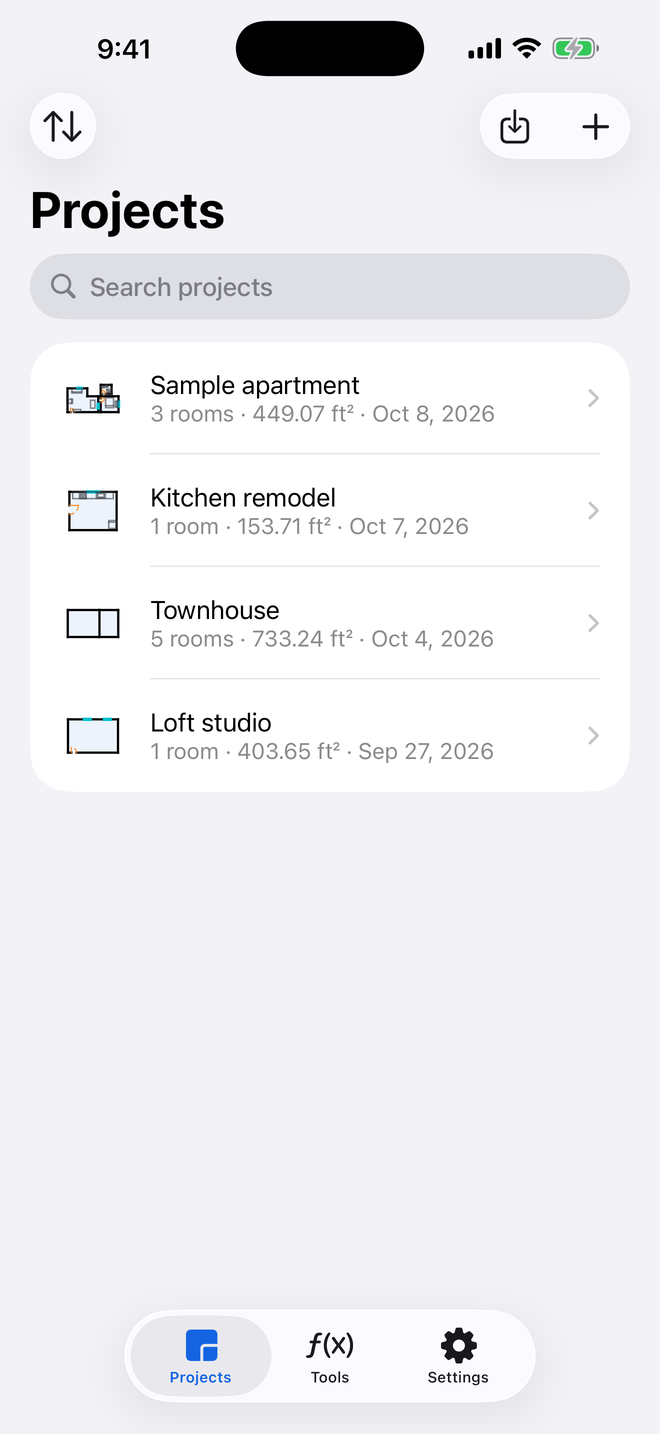
In Projects, swipe left on a project and tap Delete, then Delete project. Its rooms and measurements are deleted from your phone. Deleting the app removes everything.
Stop guessing the size.Start with a plan.
Download PlanSnap for free. Pro starts with a 7-day free trial.