PlanSnap Free vs Pro: what you can do without paying and what Pro adds
What the free PlanSnap plan includes, from unlimited AR measuring to one room and PNG export, what Pro unlocks, how the trial works and how to restore Pro.
Short answer
PlanSnap's free plan gives you unlimited AR measuring, one project with one room, PNG export with a small watermark, the level and almost every calculator. Pro removes the limits on projects and rooms and adds PDF, CAD and report exports, estimates, inspections and the other planning tools. Pro is offered yearly with a 7-day free trial, monthly or as a one-time lifetime purchase.
You should be able to tell whether an app does what you need before paying for it. This post lists what PlanSnap does on the free plan, what Pro adds and how buying, trials and restoring work. The features overview and the FAQ on the home page cover the same ground in shorter form.
What is free
Some parts of PlanSnap are never locked:
- AR measuring with the tape measure (Line, Path, Area and Height) is free and unlimited. See the AR tape measure.
- One project with one room. The sample project that comes with the app does not count towards that.
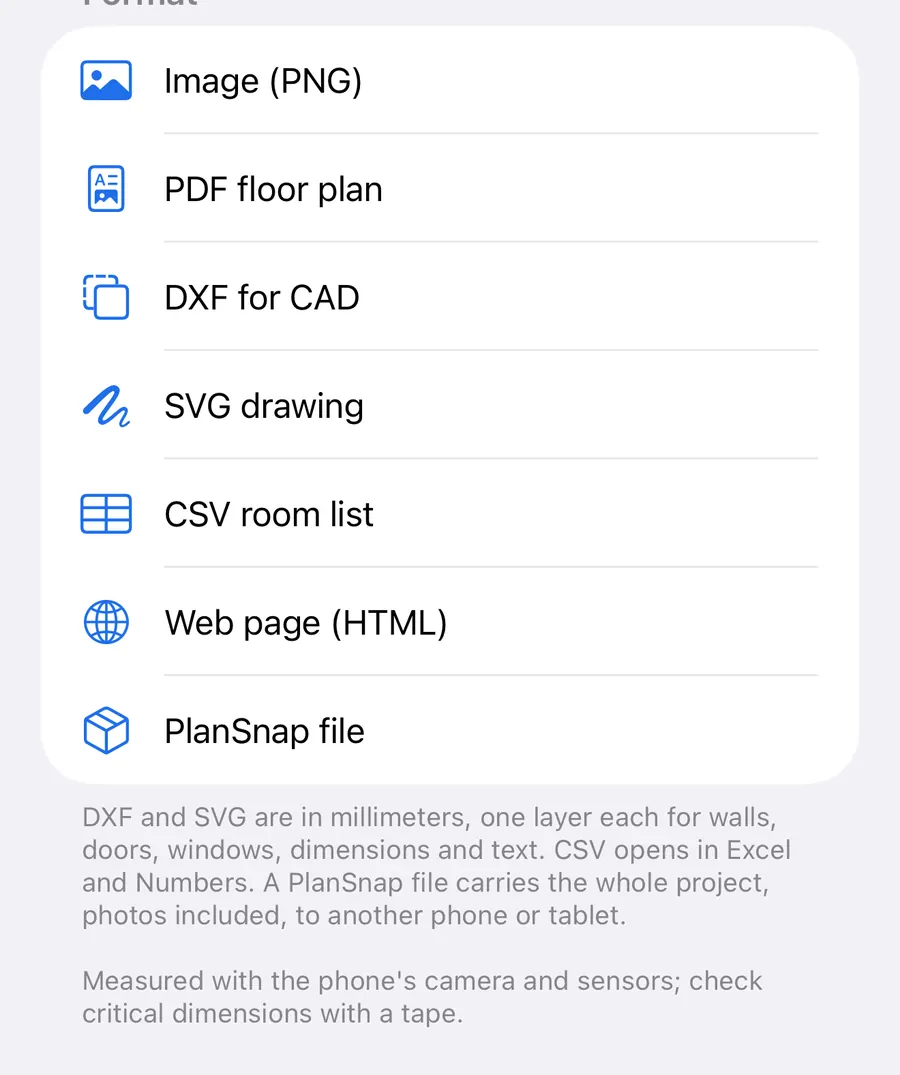
- Image export (PNG) of the plan, with a small "Made with PlanSnap" mark in the corner, and the PlanSnap file format for moving a project between devices.
- The basic plan options: dimensions, room names, areas, objects and room colours.
- The Tools tab: the level, the angle finder and the slope, miter, fraction, stair, paint, flooring, tile, baseboard, wallpaper and area calculators. Only psychrometrics is Pro.
- Widgets and controls for the Home Screen, Lock Screen and Control Center, and the Shortcuts actions apart from PDF export.
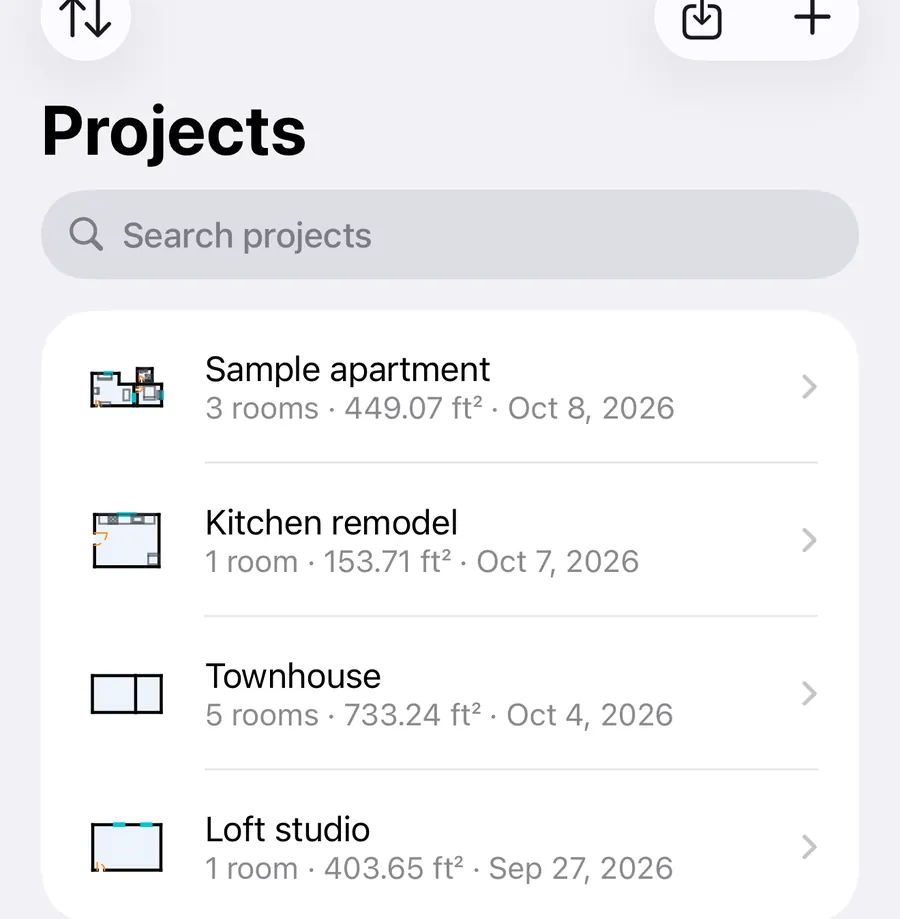
There is no account to create. Projects are stored on your iPhone, and PlanSnap has no server of its own that holds your plans.
What Pro adds
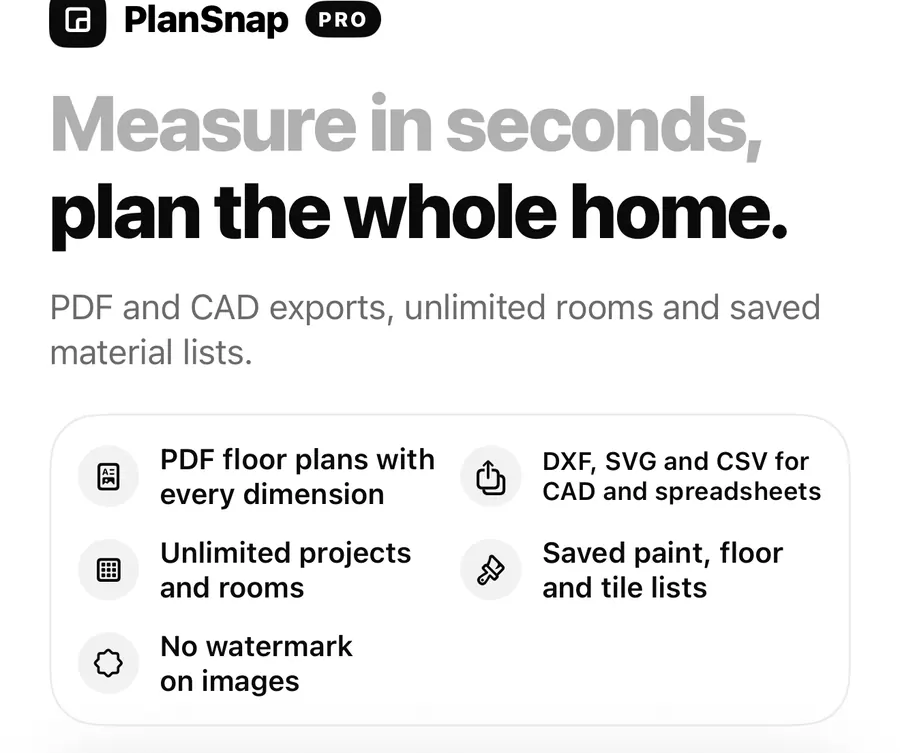
The Pro screen sums it up in five lines: PDF floor plans with every dimension, DXF, SVG and CSV for CAD and spreadsheets, unlimited projects and rooms, saved paint, floor and tile lists, and no watermark on images. Behind those lines are most of the planning tools:
| Area | Free | Pro |
|---|---|---|
| Projects and rooms | 1 project, 1 room, plus the sample | Unlimited |
| AR measuring | Unlimited | Unlimited |
| Image (PNG) | With watermark | Without watermark |
| PDF floor plan | – | Yes |
| DXF, SVG, CSV | – | Yes |
| Floors, symbols, 3D view, elevations | – | Yes |
| Saved material lists, estimate and quote | – | Yes |
| Inspection, move-in and move-out, area report | – | Yes |
| Listing description, listing image, RESO data | – | Yes |
| Level and calculators | Yes, except psychrometrics | All |
Other Pro tools include wall thickness, export at scale, web page export, company details on reports, saved tool readings, the drying log, the insurance and energy sections, sealed files and OBJ export of the 3D model. For the export side, see PDF floor plan export and DXF, SVG and CSV for CAD, or our export guide.
When you meet the Pro screen
PlanSnap shows the Pro screen when you reach for a Pro feature, with a headline that matches what you tried to do, for example "Report what you find." for inspections or "Measured rooms, ready to list." for listing tools. Adding a second room, creating a second project, duplicating a project or importing one when your free slot is used also opens it, with "One room is free." at the top.
Try Pro and restore it later
- Tap a Pro feature, or open Settings and tap Upgrade to Pro.
- Choose yearly (with a 7-day free trial), monthly or lifetime.
- Confirm with your Apple Account. Settings now shows "Pro is active".
- On a new iPhone or after reinstalling, open Settings and tap Restore purchases.
- To change or cancel a subscription, tap Manage subscription in Settings.
If you have a code, the Pro screen has an option to redeem it. If Restore purchases finds nothing, PlanSnap says no Pro purchase was found for this Apple Account; check that you are signed in with the account you bought with.
Is PlanSnap free?
Yes. AR measuring, one project with one room, PNG export with a watermark, the level and most calculators are free with no time limit.
What does PlanSnap Pro unlock?
Unlimited projects and rooms, PDF and CAD exports, watermark-free images, saved material lists, and the planning and reporting tools such as floors, 3D view, estimates, inspections and listing tools.
Is there a free trial?
Yes, the yearly plan starts with a 7-day free trial. Monthly and lifetime are also offered.
Do I need an account?
No. There is no sign-up. Pro is tied to your Apple Account through the App Store and can be restored from Settings.
Does the sample project count towards the free limit?
No. The sample apartment is extra, so you can still create one project of your own.
Keep reading
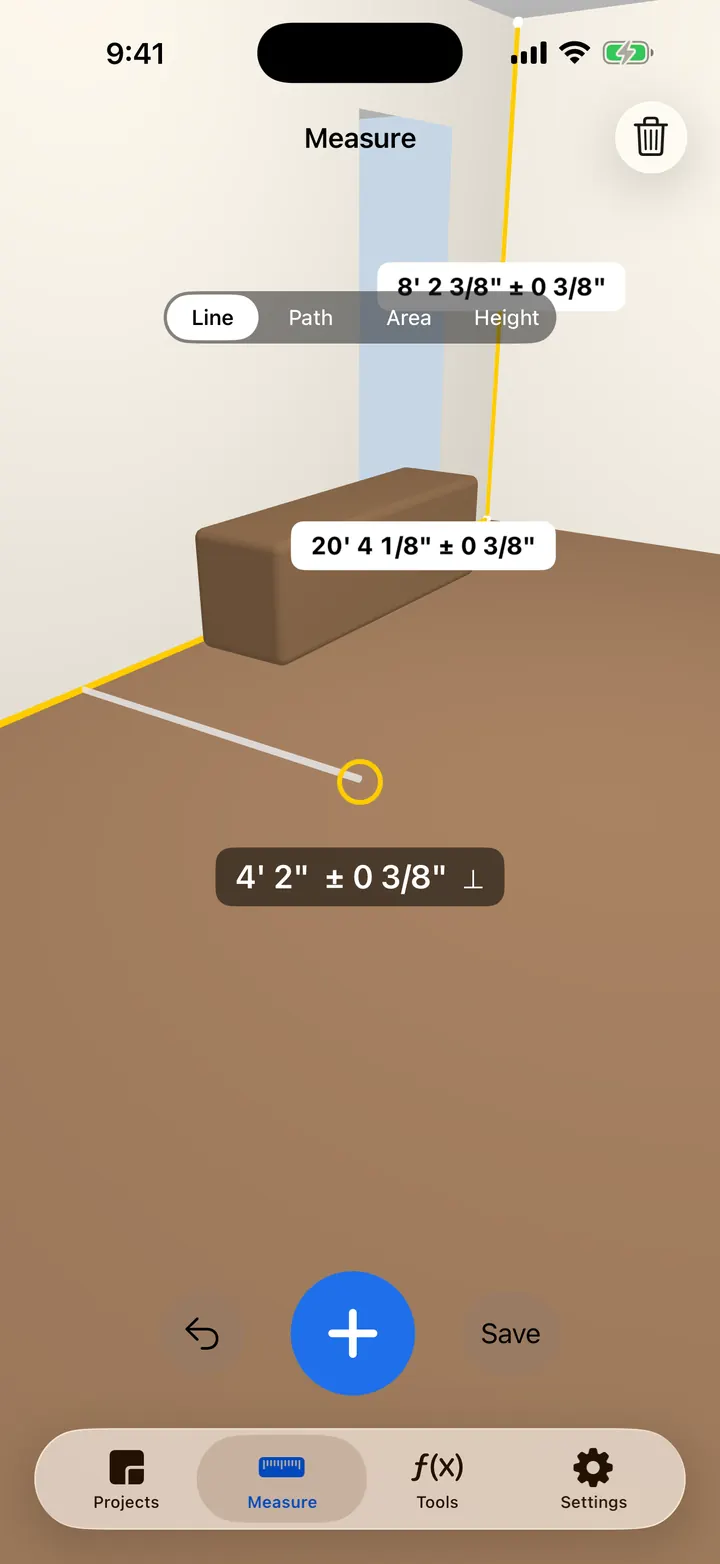
AR tape measure: measure lengths, paths, areas and heights with your iPhone
How the PlanSnap AR tape measure works: the Line, Path, Area and Height modes, the snap ring, the ± range on every length and saving measurements to a project.
Read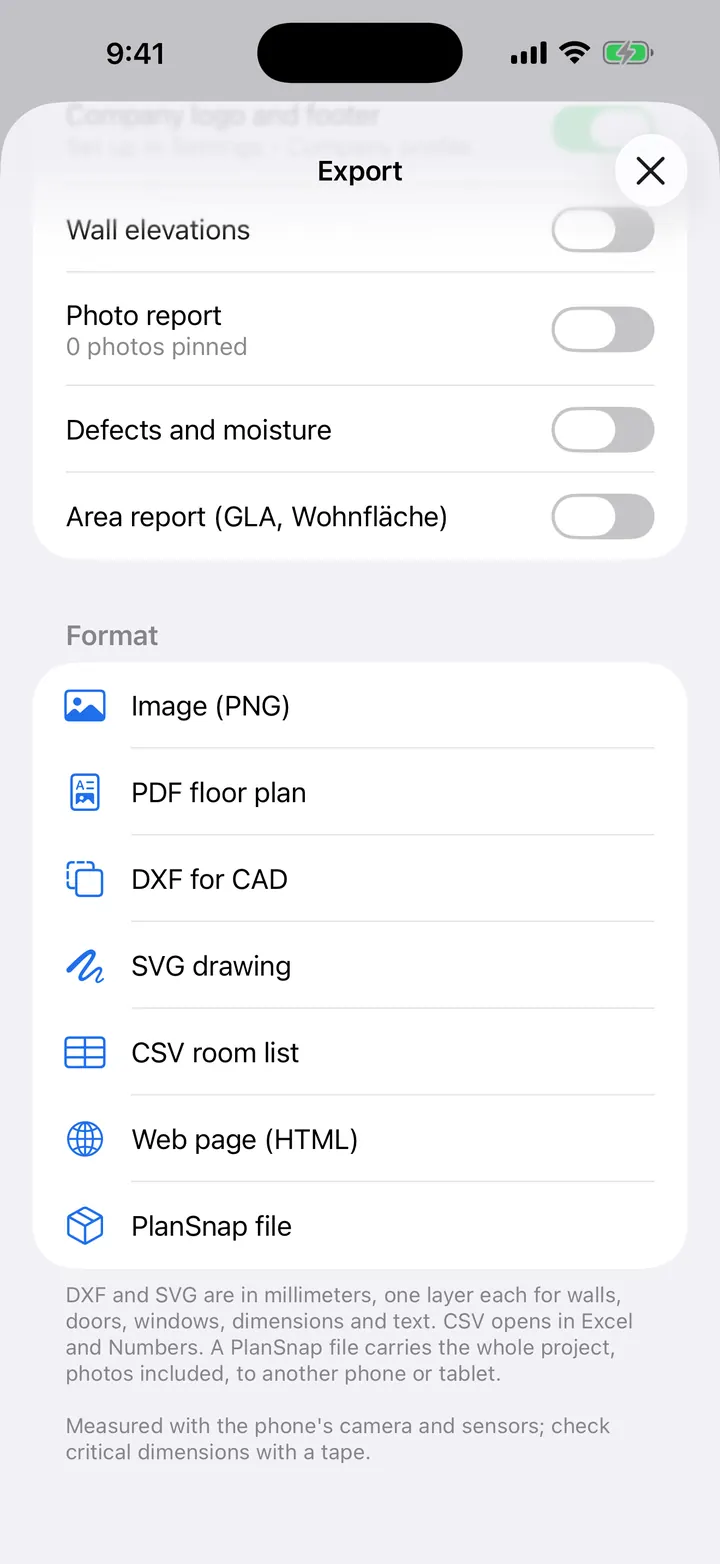
PDF floor plan export: scaled plans, schedules, photo reports and your logo
What goes into a PlanSnap PDF floor plan: a cover with room totals, one page per floor at a set scale, door and window schedules, photos, extras and your logo.
ReadDXF, SVG and CSV export: take your PlanSnap floor plan into CAD and spreadsheets
How PlanSnap exports floor plans as DXF for CAD, layered SVG drawings, a CSV room list and an offline web page, with units, layers and what each file holds.
ReadWhich floor plan file should you send: PDF, DXF, SVG or CSV?
PlanSnap exports a floor plan as PNG, PDF, DXF, SVG, CSV, a web page or a PlanSnap file. What each format is for, who can open it and which ones are free.
Read guide